<< Click to Display Table of Contents >>
Navigation: Albion 6 GIS User Guide > User Interface Elements > Right-click Menus > Database Table >
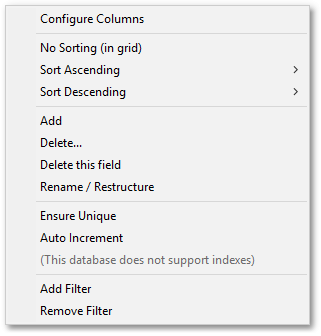
The drop-down menu that opens when right-clicking on a column header in the database table, gives access to table restructuring functions, via the following sub-menu items:
•Configure Columns
•No Sorting (in grid)
•Sort Ascending
•Sort Descending
•Add
•Delete...
•Delete this field
•Rename / Restructure
•Ensure Unique
•Auto Increment
•Add Filter
•Remove Filter