<< Click to Display Table of Contents >>
Navigation: Albion 6 GIS User Guide > User Interface Elements > Right-click Menus > Database Table >
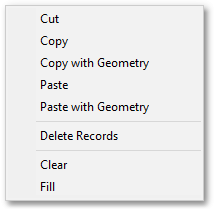
The drop-down menu that opens when right-clicking on a selection of row(s) in the database table, gives access to table restructuring functions, via the following sub menu items:
•Cut
•Copy
•Copy with Geometry
•Paste
•Paste with Geometry
•Delete Records
•Clear
•Fill