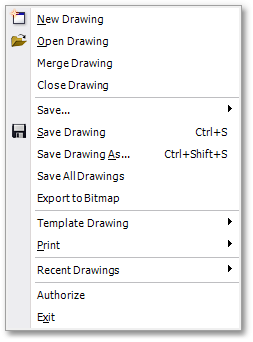
The Albion File main menu item gives access to file handling functions, via the following sub-menu items:
•Exit
|
<< Click to Display Table of Contents >> Navigation: Albion 6 CAD User Guide > Main Menu > File |
The Albion File main menu item gives access to file handling functions, via the following sub-menu items:
•Exit