Items under Main menu > File provide access to file handling and theme set-up functionality:
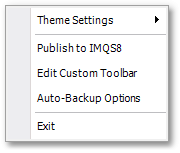
•Theme Settings opens the Model Theme Manager box for theme set-up and there is also a sub-menu option to define default theme settings.
•Edit Custom Toolbar opens the Toolbar Editor box in which you can select (via Ctrl + left-click or Shift + left-click) from a list the tools that must appear on the right-most (custom) vertical toolbar.
•Auto-backup Options opens the Model Autosave Settings box:
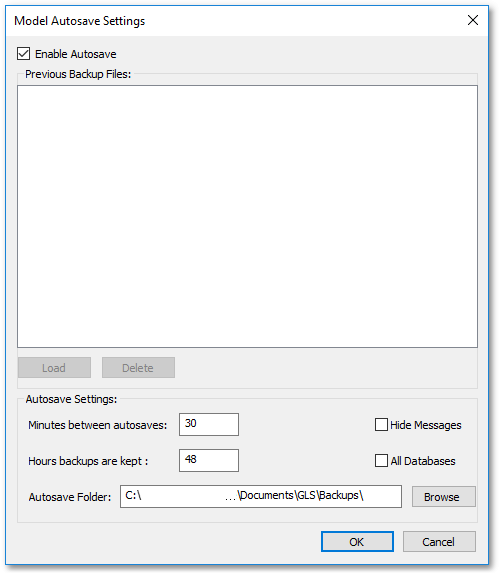
oTick the Enable Autosave tick box to allow auto-back.
oSet the Minutes between autosaves.
oSpecify the Autosave Folder by browsing to it.
•Exit sub-menu item for exiting the program.