The Model Data > Model Export > Export Links function has options to export all system links. The Export Links box will appear from which the fields and tables can be selected that should appear in the final GIS layer data (attribute) table.
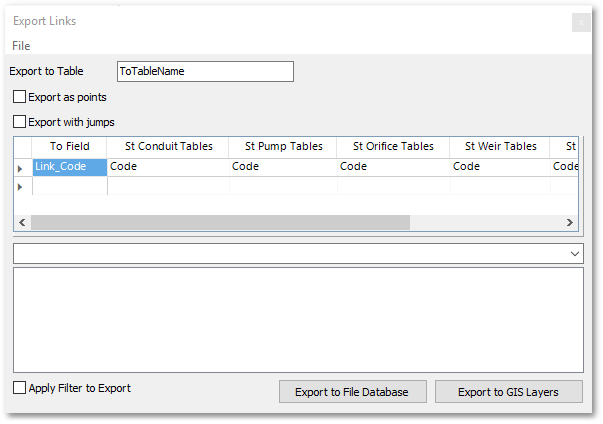
The fields (from the St_Conduit_Tables, St_Pump_Tables, St_Orifice_Tables, St_Weir_Tables and St_Outlet_Tables) can be selected from the corresponding drop-down list boxes (these field values will be written to the specified To Field). The output (i.e. export) GIS layer data name can be specified at the Export to Table input box. This exported table will contain all the link information.
The Export With Jumps tick box can be checked to include jumps (i.e. to draw small half circles where link crossings occur). Export to File Database exports a shapefile (with all links and information merged into one shapefile). When the Export to GIS Layers button is clicked, then only the data (i.e. attribute) table of the aforementioned merged export GIS layer will appear in the GIS Layer Manager flagged with a star on which the user can click to save it.
Note, a filter can be applied (by entering an SQL query expression) to export only specific links.