In this step, we will add calibration data to the model.
A calibration hydrograph is a hydrograph of measured sewer flow at a manhole against time. Calibration hydrographs are not used in any sewer calculations. They are merely an aid in calibrating a system, by allowing the user to compare the result hydrograph after simulation against the real measured flow at the structure location.
The time intervals of the calibration data do not have to match the simulated time intervals. The calibration hydrograph must be linked to a structure, by defining the structure code in the calibration hydrograph data table.
From the main menu, navigate to External Data > Calibration Data > Load, select Yes at the prompt, and browse to the file Documents\GLS\Sewsan\Tutorial_CalHyd.SAC.
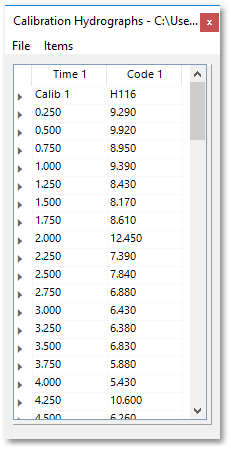
Sewsan supports the display of any number of Calibration Hydrographs. If necessary, adjustments can be made to the model parameters (usually the upstream system of the structure) to facilitate calibration of the model through re-simulation of the system, until the result hydrographs match the calibration hydrographs (to a level acceptable to the user).