In this step, we will add User Hydrograph data to the model.
In some cases, it may be required to input flow hydrographs at specific manholes in the network. This may be the case where other networks join the network being analysed, where pumps discharge into the network, or where a large system has to be fragmentised because of computer memory/time limitations. Sewsan has the option to include such user hydrographs in a single analysis. Such hydrographs may either be typed-in manually during program execution, or may be read off an existing hydrograph file. Hydrograph files may be pre-constructed and saved by the user, or may be the saved results of a previous analysis of an upstream sub-network.
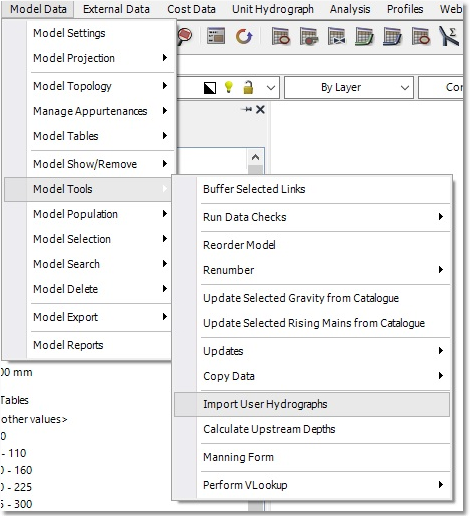
From the main menu, navigate to Model Data > Model Tools > Import User Hydrographs, and browse to the file Documents\GLS\Sewsan\Tutorial_UserHyd.SAH.
The user hydrograph data will be imported into the non-geometric se_userhydro layer of the Sewsan model. Opening the grid table view of this layer (via the GIS Layer Manager) shows that three records have been added, all with the same value in the Structure Code field. User hydrographs can only be associated with one structure (H173 in this case). The Scenario field in this table will determine which record linked to Manhole H173 will be used. In this example, the user hydrograph only has data for Scenario 1.

User hydrographs are absolute quantities, specified in units of L/s. The Volume is calculated dynamically from the flow inputs (a minimum of three values are required over the 24-hourly input fields).