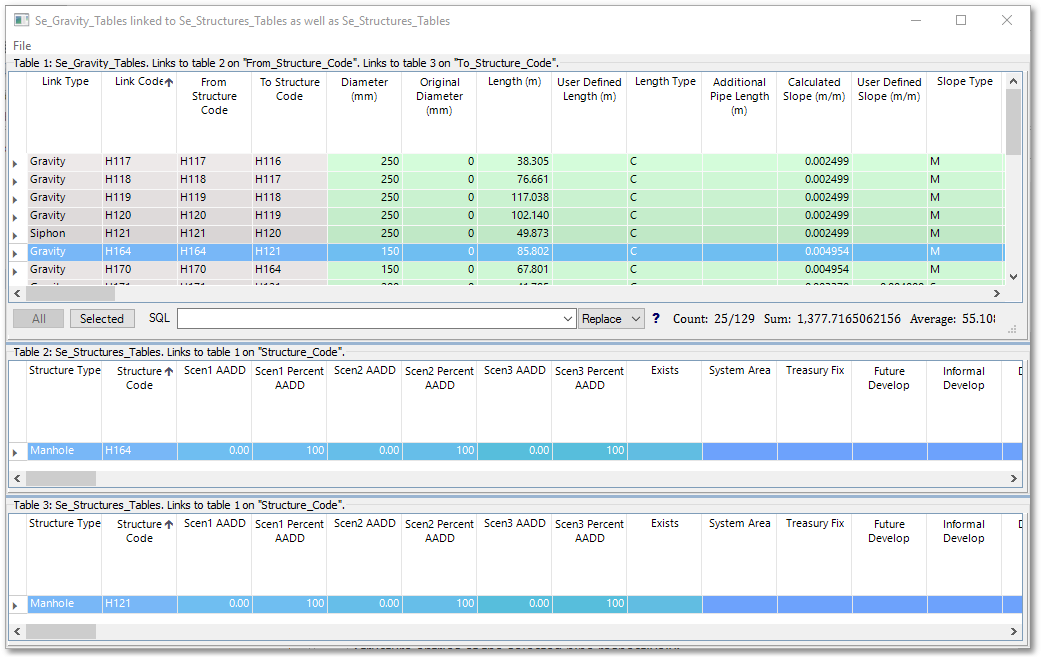
Multiple model tables (also referred to as grids) can be chain joined to one another for displaying a combined table with all information available at one glance. This can be established by clicking the  Custom Table Compare toolbar button (located just left of the
 Time Simulation toolbar button), which will open the Multiple Grids Filtering box in which the combined table can be set up.
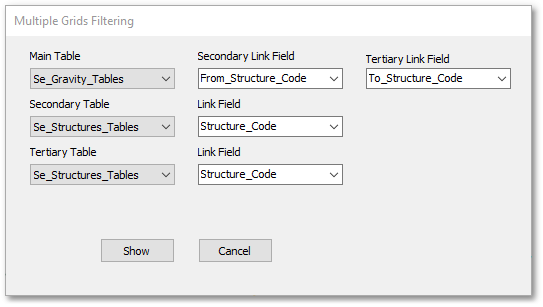
The above Multiple Grids Filtering box shows the settings to establish a very useful table combination consisting of the the Gavity Pipe table which is joined to the Structure table via the From_Structure_Code and via the To_Structure_Code. Two views of the Structure table will appear below the Gravity Pipe table, showing the From- and To Structure entries of the selected pipe respectively: