Items under Main menu > Profiles allow the user to draw a section (also referred to as a long section) of the longitudinal profile of pipes in the system (in respect of ground, invert and cover levels). This is also very helpful in interpreting the results of an analysis. The various options under the Profiles menu are:
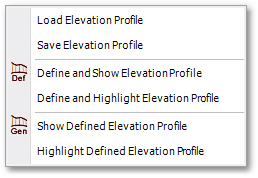
•Load Elevation Profile to open Profile files
•Save Elevation Profile to save Profile files
•Define and Show Elevation Profile to define and show a new profile
•Define and Highlight Elevation Profile to define a new profile and highlight links in the model on which the profile is based on
•Show Defined Elevation Profile to show/edit a previously defined profile
•Highlight Defined Elevation Profile to highlight links in the model of a previously defined profile
The Viewing Profiles of relevant data and results section gives a detailed description of the Profiles menu options.