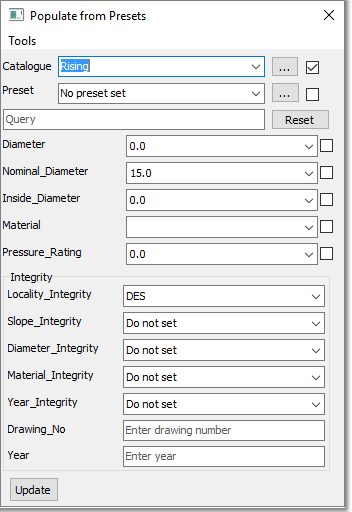
The Model Data > Model Tools > Update Selected Rising Mains from Catalogue function is used to update the pressure pipe attribute data for selected rising main entities from the Populate From Presets input form. Note that the Catalogue options differ from when adding gravity pipes. Once the desired data has been updated on the form, click on the Update button to populate the specified values for the selected rising main entities.
Functionality has also been included in the Populate From Presets form to run a comparison on all model pipes and attributes available in the rising main component library. The Tools > Compare Model with Catalogue function will provide an error report which shows data mismatches. The rising mains can be selected from the error report, and updated with the correct data.