The existing SWMM INP file will be selected to be imported into the HydroSWMM model.
Select Manage Models -> Merge Into Model -> Import from SWMM INP
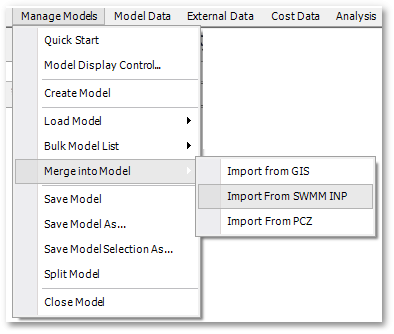
From there select the example INP file in Documents\GLS\HydroSWMM\HydroSWMM - SWMM INP.INP.
The various model structures will be imported into the appropriate model table structures, and populated graphically as well. Not all EPASWMM supported Stormwater structures are supported within HydroSWMM currently, in the near future all of the available structures will be supported.