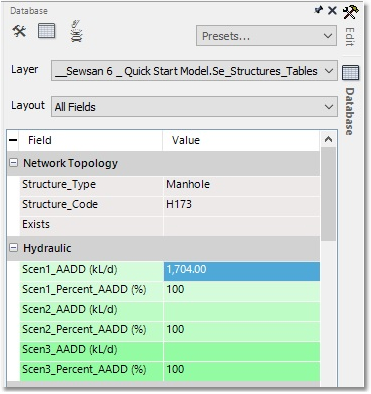
In this step, we will add sewer flow data at two manholes of the sewer network. The number of equivalent erven for each unit hydrograph type must be specified, and since we are going to use the AADD method for this example, we will have to specify the water demand at the manholes as well.
Select (click on) Manhole H174. In the Database editor, select the Scen1_AADD (kL/d) field value cell, and enter 2.917. Note that the display is rounded to two decimals (See Configure Columns in the Albion Help). Then, scroll down to the fields labelled Scen1_UH_1 and Scen1_UH_2, in the Unit Hydrographs (Scenario 1) field group, and enter 1 (no. of equivalent erven) for both fields. Finally, ensure that the Scen1_Percent_AADD (%) field value is set to 100.
The manhole information should appear as follows:

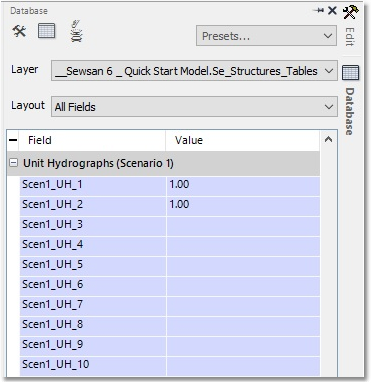
Next, click on Manhole H173, and enter the following data in the Database editor.
•Scen1_AADD (kL/d) = 1704
•Scen1_Percent_AADD (%) = 100
•Scen1_UH_7 = 1
The information should appear as follows: