The Numbering tab under the Model Settings dialog box can be used to set the auto numbering of the model.
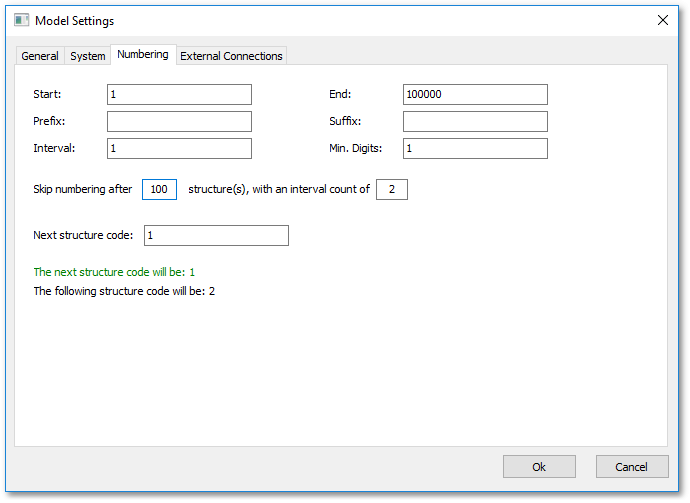
Every structure element in the model gets a unique ID, typically a number with or without some prefix and/or suffix. The automatic generation of structure ID’s is set in this form. In the above example there are no prefixes or suffixes, numbering starts at 1, increases by 1 and skip numbering will not be applied. By assigning a large skip numbering after value (larger than the number of structures in the network), skip numbering will not take.