The model is displayed in the Albion environment on a variety of layers according to the currently selected theme and the settings defined in the Model Theme Manager box, see setting up themes. The model display can also be changed by setting the render settings of the individual model layers directly in the GIS Layer Manager (see Albion 6 GIS User Guide).
The Sewsan model layers can be moved to the top of the drawing order in the GIS Layer Manager list, by applying the  Move Model Layers to the Top toolbar button.
Links and structures are automatically numbered (i.e. annotated) according to the model settings (and can be renumbered if needed).
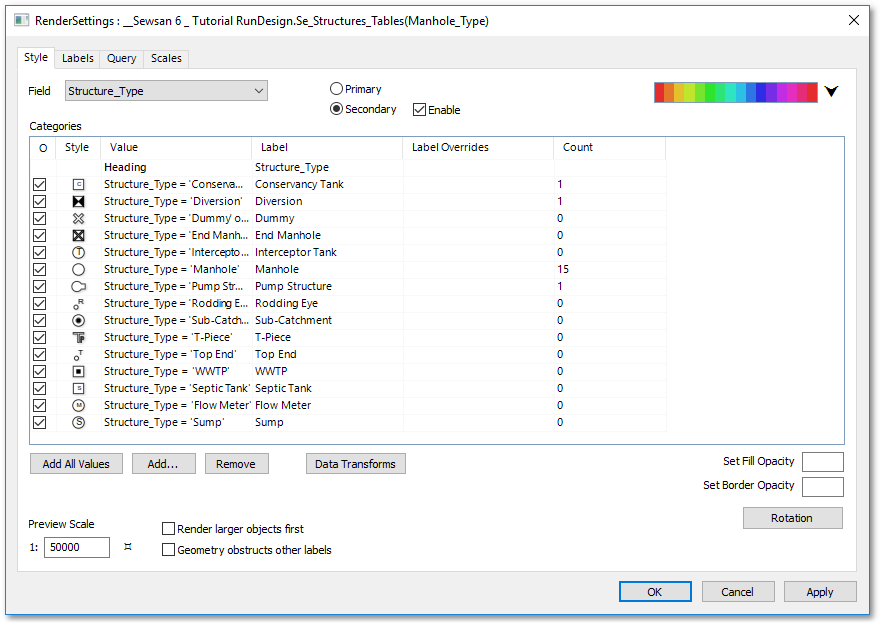
These are the standard icons for displaying the special types of links and structures in the Albion environment (accessible by selecting the links/structures in the GIS Layer Manager and specifying the Secondary option in the Render Settings box).
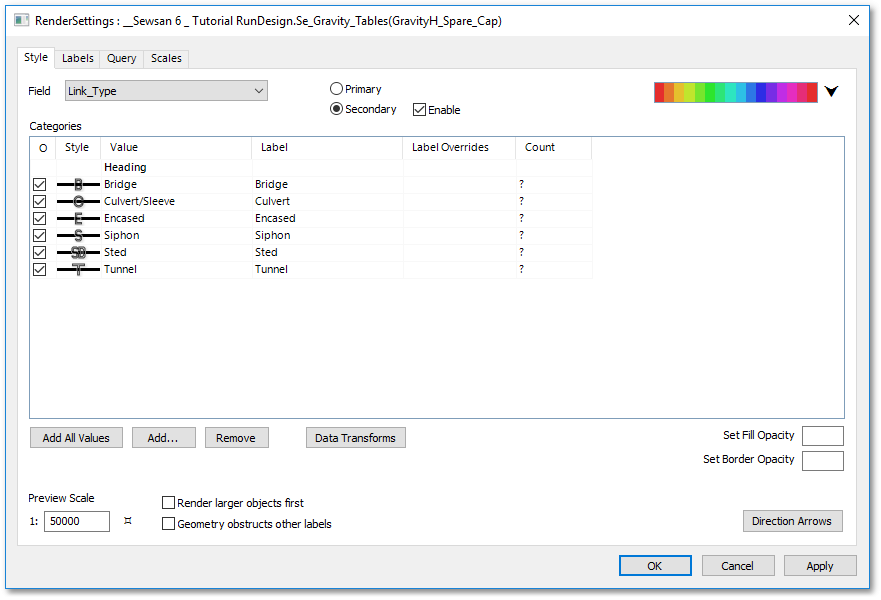
Also note arrows are automatically drawn on top of the link to indicate the flow direction of links after a successful time simulation, when certain Analysis themes are selected for display.