The Model Data > Model Selection > Selection on Filter function opens the Selection on Filter dialog box in which model tables can be selected to filter on, common filter fields from the selected model tables can be chosen and their corresponding database values (to be included in the filter) can be selected:
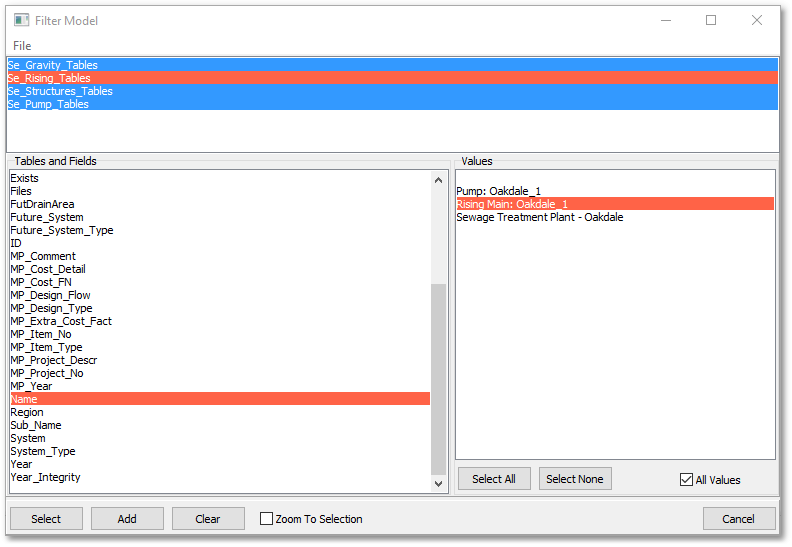
Note, the All Values box can be ticked to display a list of all available values for a selected field. When selecting a specific value(s), corresponding table(s) will also be highlighted in red as shown above. Finally, the Select button can be clicked to select the entities in the Albion environment, and when Zoom to Selection is ticked - it will automatically zoom to the selection.
The above screen-shot shows a selection filter to display only model entities with Name field value equals 'Rising Main: Oakdale_1'.