The Swift Electricity Data can be viewed and edited in a number of ways e.g.:
•Using the spreadsheet type table editors accessible via Electricity Data > Data Tables.
•Using the chain joined spreadsheet type table editors accessible via Electricity Data > Show Details.
•Using the built-in Albion environment, to displayed the data graphically, and to edit individual stands or batch edit selected stands.
The electricity data is handled by Swift via the following tables (accessible via Electricity Data > Data Tables). These are:
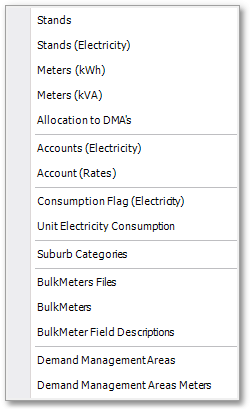
•Consumption Flag (Electricity) Table
•Unit Electricity Consumption Table
•Bulk Meter Field Descriptions Table
•Demand Management Areas Table
•Demand Management Areas Meters Table
The layout of these spreadsheet type editors are all very similar. The common functionality built into these tables such as e.g. find/replace, filters, printing, exporting, memo fields, etc. are discussed in more detail in the Albion 6 GIS User Guide (see Albion 6 GIS User Guide > User Interface Elements > Database Table).