Items under Main menu > View manage the zoom extents of the project:

•The sub-menu option View > Zoom to Model Extents zooms to the entire extents of the currently active model.
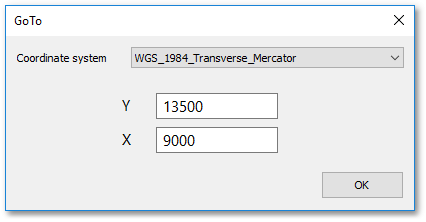
•Apply View > Goto Coordinate to zoom in onto a point location, specified at the ensuing GoTo box:
•The other sub-menu options are already discussed in detail in the Albion 6 help (Albion 6 CAD User Guide > Main Menu > View).