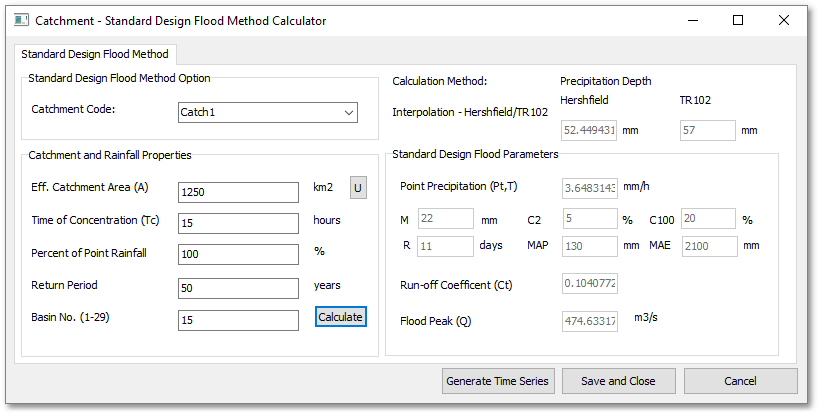
The Standard Design Flood Method can be applied as follows:
1.Select the appropriate Catchment Code from the drop-down list;
2.Enter the Effective Catchment Area;
3.Enter the Time of Concentration (Not optional);
4.Enter the Percentage of Point Rainfall (Percentage running off);
5.Enter the Return Period;
6.Enter the Basin Number (From 1 to 29);
7.Click the Calculate Button;
8.If the User wishes to generate a Time Series from the results, the Generate Time Series Button can be clicked to this effect.
9.Should the user wish to save the form data, the Save and Close button can be clicked, which will link the data to the selected catchment. The next time the form is opened, if the same catchment is selected the form will be populated with the saved data.
The Calculation Method being used will be shown and will either be Hershfield, Interpolation between Hershfield and TR102 or fully based on TR102. The Standard Design Flood Parameters are displayed on the right. All results are fully interpolated with no absolute jumps between data points.