Overview
The Diversion table is accessed via Model Data > Model Tables > Diversion. Alternatively, the  Edit Diversion Table toolbar button can be clicked or the following right-click menu can be applied:
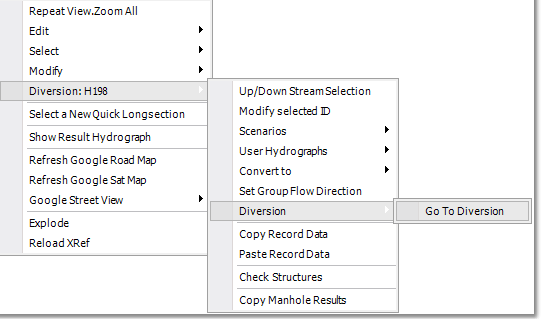
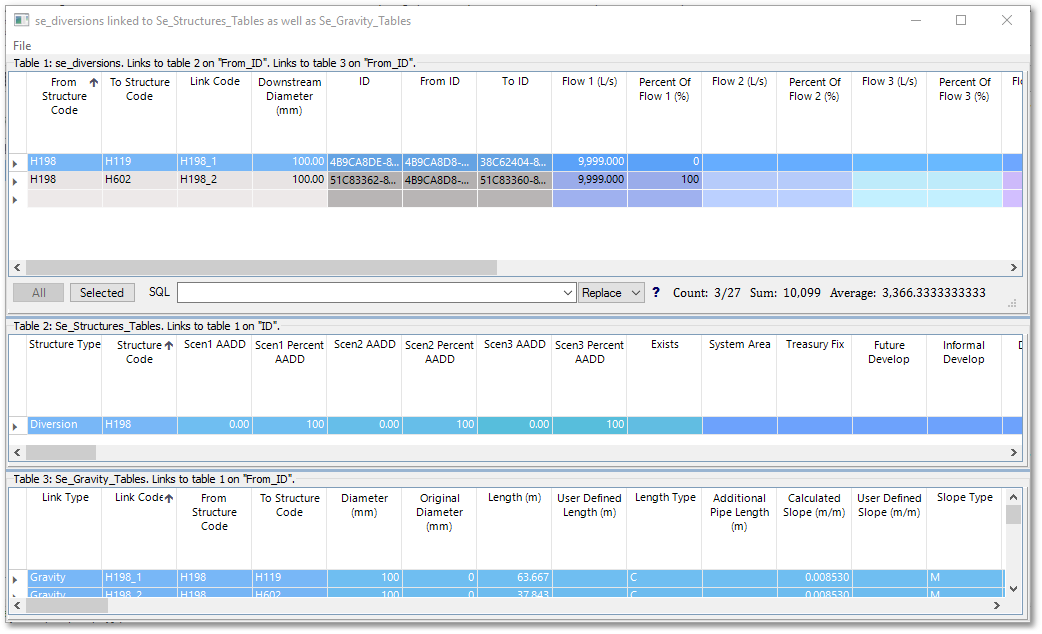
Diversions are special types of structures. The Diversion table displays the details of the diversion structures. The information shows the pipes downstream of each diversion structure and the flow profiles (and flow diversion) through these pipes. The Diversion table also displays the corresponding diversion structure in the Structure table and the corresponding connected downstream pipes as contained in the Gravity Pipe table. The Structure and Gravity Pipe tables are chain joined to the Diversion table via the From Structure Code. Note, you must select a record in the Diversion table to see the corresponding entries in the Structure and Gravity Pipe tables. Also note, the right-click menu only shows a quick view of the Diversion table, the full chain joined tables are only available via the main menu or toolbar button.
Columns
Note some of the columns (also referred to as fields) such as From Structure Code, To Structure Code and Link Code are defined already in the Structure and Gravity Pipe tables.
A single diversion structure is listed in the table as multiple rows, one for each output pipe.
Downstream Diameter
Diameter (mm) of the connected pipe located directly downstream of the diversion structure.
Flow 1..10, Percent of Flow 1..10
Each pair of Flow and Percent of Flow define a category of operation (up to 10 categories available) for the diversion structure. The sum of the percentages in each Percent of Flow column of a category must add up to 100% for each diversion structure (see Tutorial for flow diversion example).
An excerpt of the chain joined Diversion table is shown below.
Consider the following example to illustrate how flow is diverted with flow-percentage groups within Sewsan.
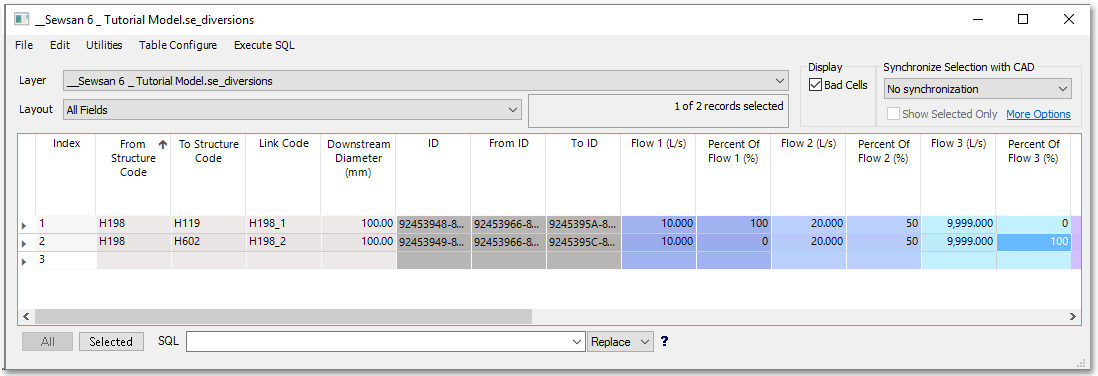
Say we have a diversion with two downstream pipes, pipe x and pipe y; say for instance that all flow should flow into pipe x up to a flow value of 10 L/s, and then for additional flow above 10 L/s, up to a value of 20 L/s, you want the flow to be split 50/50 between pipe x and pipe y, with all flows above 20 L/s, which flow into pipe y.
Now substituting pipe x with H198_1 and pipe y with H198_2, the above example would be set in the diversion table, as shown below:
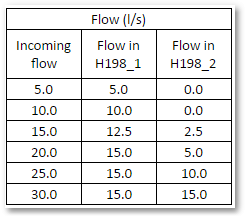
See the table below that shows how the flow will be diverted to the downstream pipes for increasing flows for the above example: