Items under Main menu > External Data allow the user to:
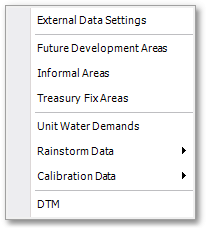
• To load, view and edit all ancillary data used by the model such as future development areas, informal areas, treasury fix areas, unit water demands, rainstorm data, calibration data and a digital terrain modelling (DTM) file. The latter is used in the assignment of ground elevation to structures. The data path to the ancillary data can be set via External Data Settings sub-menu item, which opens the External Connections tab of the Model Settings box.
•Note that Cost data and Unit Hydrograph data are listed in the External Connections tab of the Model Settings box (can be regarded as ancillary data), but also have their own Cost Data and Unit Hydrograph menus, because of the many options and tables associated with them.