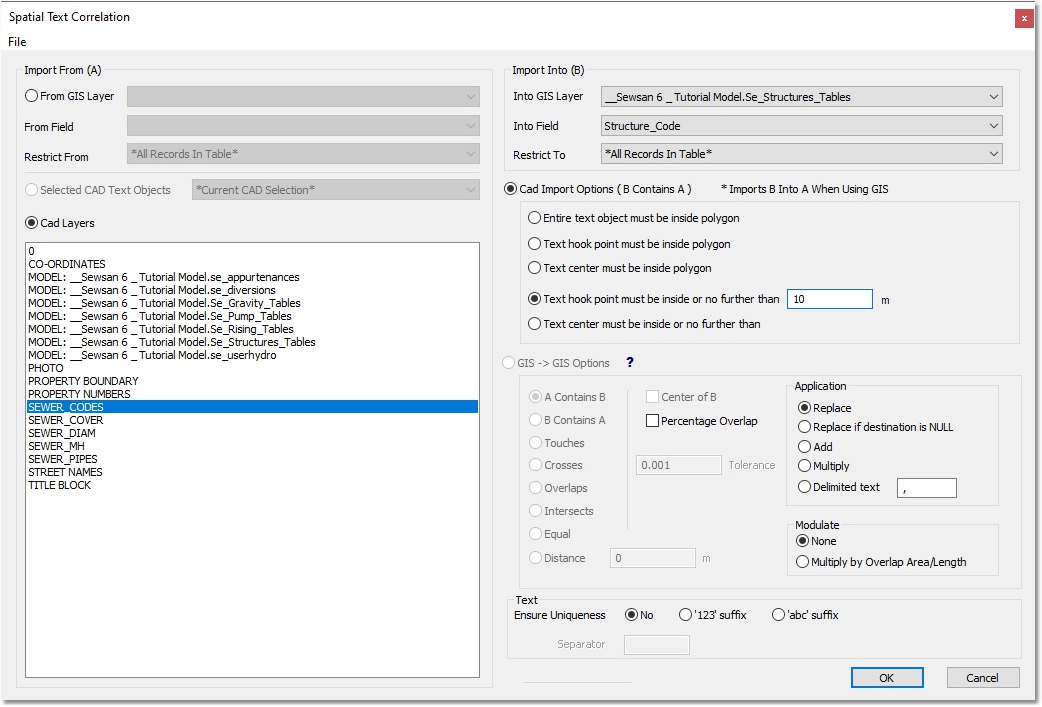
The same procedure as used for the cover levels can be used to change the structure codes of the model to the values from the CAD drawing on the SEWER_CODES layer. As before, ensure that the settings are as shown in the image below, and select OK. The destination layer will be the same, i.e. Se_Structure_Tables, but the destination field will change to Structure_Code. Note that the Link_Code field value of each of the pipes has been adjusted accordingly.